Avoiding Social Media Stalking: Your Guide to Privacy in Online Dating

By Sandra · Updated on 4 November 2026 · ✓ Reviewed by the editorial team

Avoiding Social Media Stalking: Your Guide to Privacy in Online Dating

For many singles, online dating has become the go-to way to meet someone new. But while you're looking for a genuine connection, you're leaving behind digital footprints that reveal more about you than you might realise.

A seemingly harmless profile picture, your first name and a few details about your life can be enough for strangers to piece together your identity. This guide shows you in five steps how to protect your privacy, avoid social media stalking and still stay open to meeting new people.

In a nutshell

You can make it much harder for people to look you up on social media by taking control of your privacy on dating apps and sites. Try using just your first name or a nickname (where permitted) and choose photos that don't appear on your social media profiles.

  • Protecting your privacy online begins even before you get a match, so it’s worth checking what information about you is publicly available on the internet.
  • To stop people finding you elsewhere, avoid using photos that are on your other social media accounts and do a reverse image search on your own pictures to see where they pop up online.
  • Safety-conscious singles often set up a separate email address just for dating sites and hold off on sharing personal details until they’re ready.
  • AskAlva's tip: Use the AskAlva scam check if a profile seems too good to be true.

Why digital privacy in online dating is more important than ever

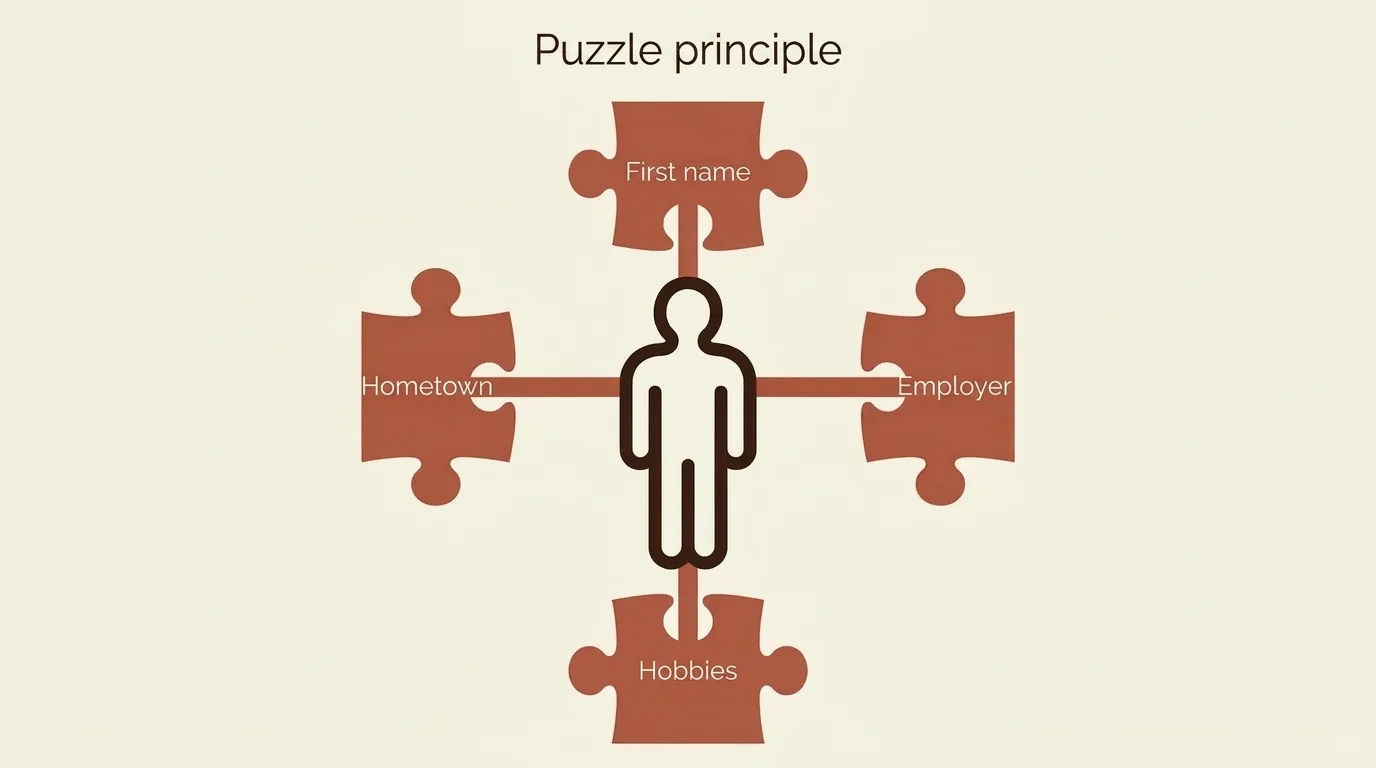
The amount of data shared on dating sites comes with risks that are often underestimated. The 'jigsaw puzzle' principle shows how stalkers operate: from seemingly harmless bits of information like your first name, your town and a photo of your favourite café, they can build a complete picture of your identity.

Stalkers combine these details with public information from social networks. This is how they find out where you work, where you live and who you know. A profile picture that's also on your Instagram can lead them directly to your full name via a reverse image search. Your first name plus your town plus a mention of your employer in a chat can add up to a precise identification.

Threats like doxing – publishing private data online – or identity theft are no longer just a problem for celebrities. People who are getting back into online dating after a long relationship or bereavement often underestimate just how much their digital footprints can reveal.

Platforms like eHarmony, Ourtime or EliteSingles already use verification processes to create a safer environment. But the best protection starts with you – by being mindful of how you share your data.

An infographic on the 'jigsaw puzzle' principle in online dating, showing how individual details like a first name and town can reveal someone's identity. The 'jigsaw puzzle' principle shows how seemingly harmless details, like your first name and a hobby, can be pieced together by stalkers to build a complete picture of your identity.

Step 1: A digital spring-clean before you sign up

Before you sign up to a dating site, it’s a good idea to check your online footprint. This digital clear-out will help you find and fix any privacy weak spots.

Tidy up old profiles

Delete any forgotten accounts on dating apps or sites you no longer use. Every old profile is a potential goldmine for stalkers. Many of us have profiles on platforms we haven’t visited in years, and these dormant accounts often contain outdated photos and contact details that can still be found online.

Secure your social media profiles

Set your Instagram, Facebook and LinkedIn profiles to private before you start dating. Check what information is visible to the public: friends lists, tagged photos, check-ins at various locations and comments on public posts can reveal far more about you than your profile itself.

Be especially wary of photos you've been tagged in. These often show up publicly, even if your own profile is set to private.

Google yourself like a pro

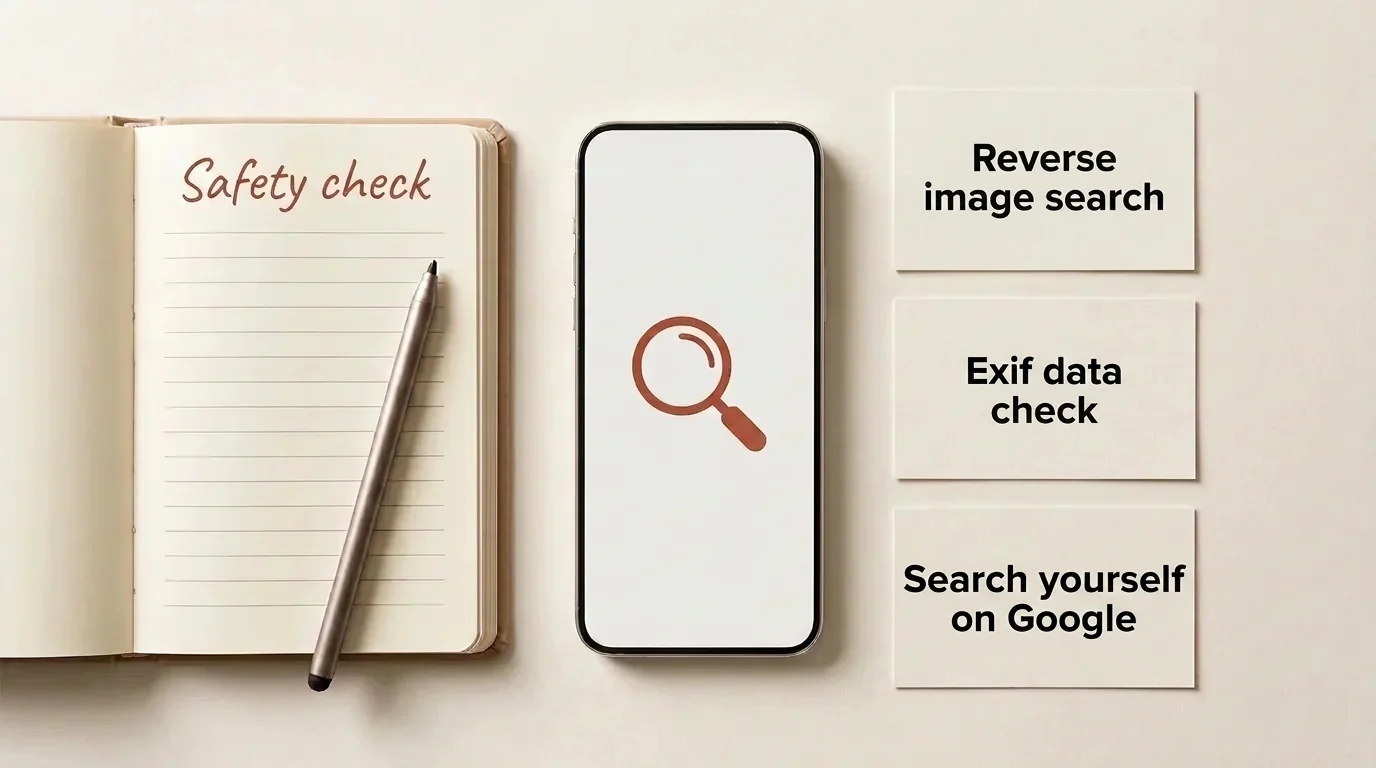
Search for yourself using different combinations, like your name plus your town or employer. You might be surprised at what’s publicly available. Also, try using quotation marks to search for an exact phrase (like "Joe Bloggs") or a minus sign before a word to exclude it from your results.

Old forum posts, comments under news articles or attendee lists for events can often pop up in search results years later.

The LinkedIn risk

Your career history on LinkedIn can be an open door for people looking for information. The platform's default settings usually show your full name, your education, all your previous employers and often your current location.

Think about restricting who can see your profile, or only sharing certain details with your connections. You can also browse in 'private mode' via your settings so others can't see you've visited their profile, but be aware that without a Premium account, you won't see who's viewed yours either.

A flat-lay arrangement of items for a digital safety check, representing a reverse image search and a review of photo data. Become your own detective: with tools like reverse image search, you can find out what digital footprints you've already left online.

Step 2: How to use your photos safely online

Your photos are a window into your world. With a few smart tips, you can present yourself authentically and stay safe at the same time.

Keep your dating profile photos unique

For dating sites, it's best to use photos that you haven't posted anywhere else online. This prevents someone from using a reverse image search to find, say, your Facebook profile. Take some new snaps specifically for your dating profile, or dig out some older pictures you've never shared online.

Avoid photos with recognisable backgrounds, like your workplace, your front door or any local landmarks that might give away your location.

Understanding Exif data

Modern smartphones embed hidden GPS data into your photo files. This information, called Exif data, can pinpoint your exact location – sometimes down to a few metres. It also includes details like the camera model, when the picture was taken and occasionally even serial numbers.

Many dating apps strip out this data when you upload photos, but you can’t rely on every platform to do so. Be extra careful with pictures you send directly, for instance by email. Messenger services can also retain the data if you send an image as a ‘document’ instead of a ‘photo’. To be on the safe side, remove the metadata yourself: you can turn off location when sharing from your iPhone or Android, or use a free app to do it for you.

How to do a reverse image search

You can easily check if your photos could be used to identify you. Upload your dating photos to Google Images or TinEye and see what results pop up. If they link back to your social media profiles, you should choose different pictures.

Bear in mind that a reverse image search can often recognise pictures even if you've cropped them or added a filter.

New photos offer more protection than tricks

Don't rely on tricks like cropping, flipping or adding a frame to an existing photo to make it unsearchable. Cropping also won't remove any hidden metadata. The important thing is that your photo should still be an authentic representation of you.

Step 3: Setting up your dating apps for maximum privacy

The settings in your dating app are crucial for your safety. Many singles overlook these important steps and end up sharing more than they need to.

Keep your accounts separate

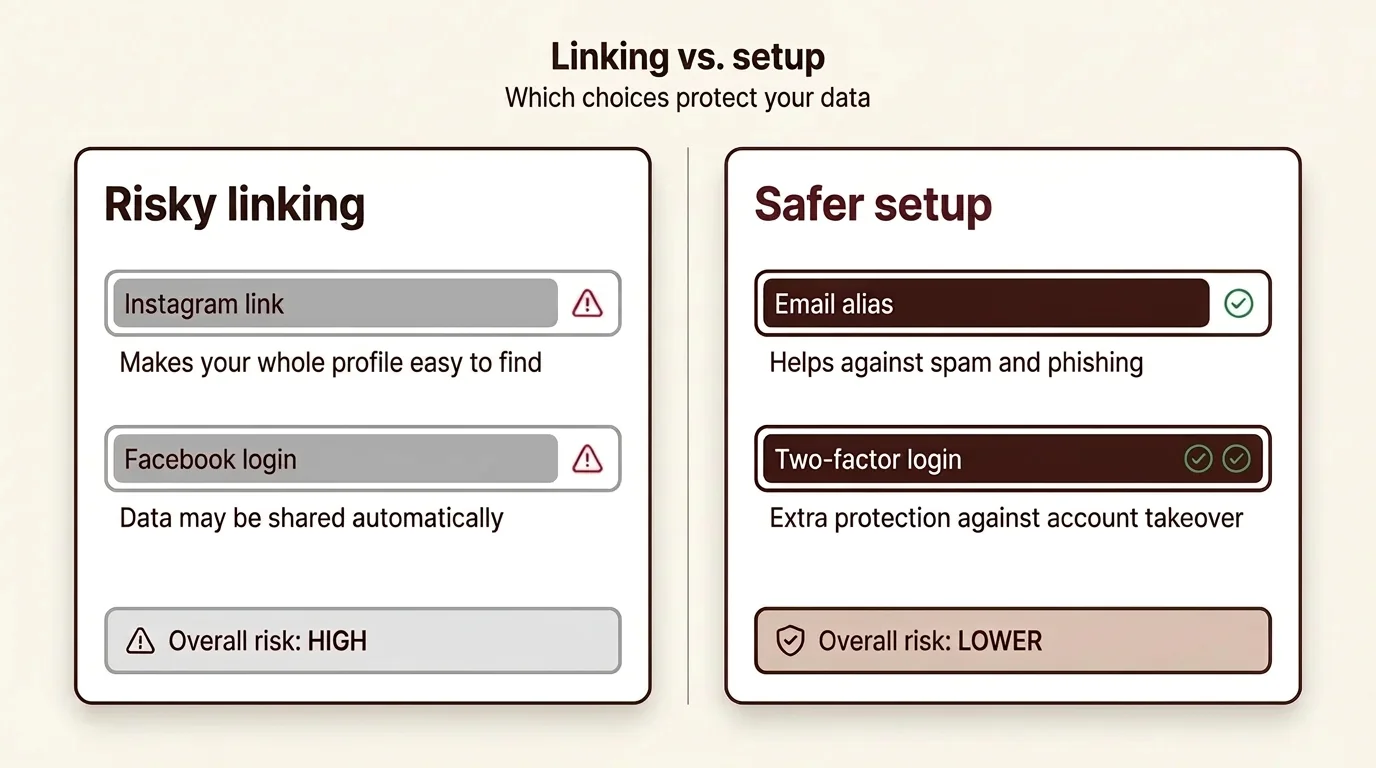
Some dating apps will suggest connecting your Instagram or Spotify account. While this might seem like a good way to appear more authentic, it also increases the risk of strangers being able to find you. We'd advise against it. Linking your Instagram can reveal your username, which could then make your entire social media profile easy to find.

Your Spotify profile can also reveal more about you than just your taste in music.

Use security features

Sites like Ourtime or EliteSingles offer profile verification. Use this feature and check that the person you're talking to is also verified. Verified profiles are marked with a tick or badge. In most cases this only means the person has taken a selfie that matches their photos, so it says nothing about who they really are or what they intend.

Using incognito modes, which many premium versions offer, is also a great idea: your profile is only shown to people you've already liked.

Location settings

Only allow location sharing while you're actively using the app. Many dating apps let you choose this option, so your location isn't being tracked constantly in the background. Tinder, for example, typically shows how far away you are from other users. Be aware that if someone were to check this from a few different spots, they could start to figure out the area where you live or work.

In your phone's main settings, make sure you turn off background location tracking for all your dating apps.

Keep your communications private

Register with a separate email address that you use just for dating sites. A permanent second address or an alias service, like Apple's 'Hide My Email' feature, will shield your main inbox from spam and unwanted messages. Be aware that Gmail's '+dating' trick (adding a tag to your address) only helps you filter emails; it doesn't actually hide your address.

If a dating app requires a phone number, you can use a second SIM card to keep your main number separate from your dating profile.

A visual comparison between insecure and secure privacy settings on dating apps, with a focus on email aliases. Check your settings: keeping your social media and dating profiles separate is an important step for your online safety.

Step 4: Spotting social engineering and AI threats

Not every danger is a technical one. Scammers often use psychological tricks to get hold of your information, using methods that can look just like a friendly chat when you're first getting to know someone.

Social engineering in chats

If your match asks for your mother's maiden name, the name of your first pet, or your favourite band from your teenage years, the questions might seem innocent enough. But these are precisely the kinds of details often used as security questions for bank and email accounts.

Be wary of sharing these sorts of details. Questions about your date of birth, your address 'for a surprise gift', or your full name 'for a restaurant booking' are also classic social engineering tactics. Someone who's genuinely interested will show it by asking about your values, dreams and experiences, not by fishing for your personal data.

AI warning: Deepfakes

Artificial intelligence can be used to create photos and videos that look astonishingly real. These 'deepfakes' are increasingly used for fraud or sextortion. The technology has become so advanced that even an amateur can create a convincing fake.

Look out for unnaturally smooth skin, distorted backgrounds, or hair that seems to merge with the background. Other warning signs include a lack of shadows, unnatural eye movements, or teeth that look blurry when they smile. In videos, you might notice that their lip movements don't quite sync up with the audio. These clues can help, but they aren't foolproof – some fakes are so good they're very hard to spot.

The video-call test

A spontaneous video call is a great way to check if someone is who they say they are, but it's not a foolproof way to spot a deepfake. During the call, ask them to slowly pass a hand in front of their face or to turn their head completely to one side. Sometimes, deepfake overlays will flicker or distort with these kinds of movements, but don't rely on this test alone. Their behaviour is a far bigger clue: any requests for money, pressure, and a push to quickly move to other channels are much clearer warning signs.

It's also a red flag if someone constantly makes excuses for not having a video call: a broken camera, a bad internet connection, being too shy. If the cancellations start to pile up, you should be suspicious.

How to handle requests for money

The moment money, crypto investments, or a financial emergency is mentioned, you should end all contact immediately. Someone who genuinely wants to get to know you won't be asking you for money. Typical romance scams involve stories about being a stranded business traveller, a sick relative, a frozen bank account, or a 'once-in-a-lifetime investment opportunity'.

If a profile or a chat feels suspicious, use the AskAlva scam check. Just upload a screenshot, and it will highlight potential red flags for you. Remember, though, this tool is a guide and doesn't replace your own judgement.

Step 5: Your exit strategy for harassment or stalking

Even with all the precautions, you might still find yourself being harassed or stalked. If that happens, it's important to act quickly and decisively – hesitating often makes the situation worse.

Collecting evidence

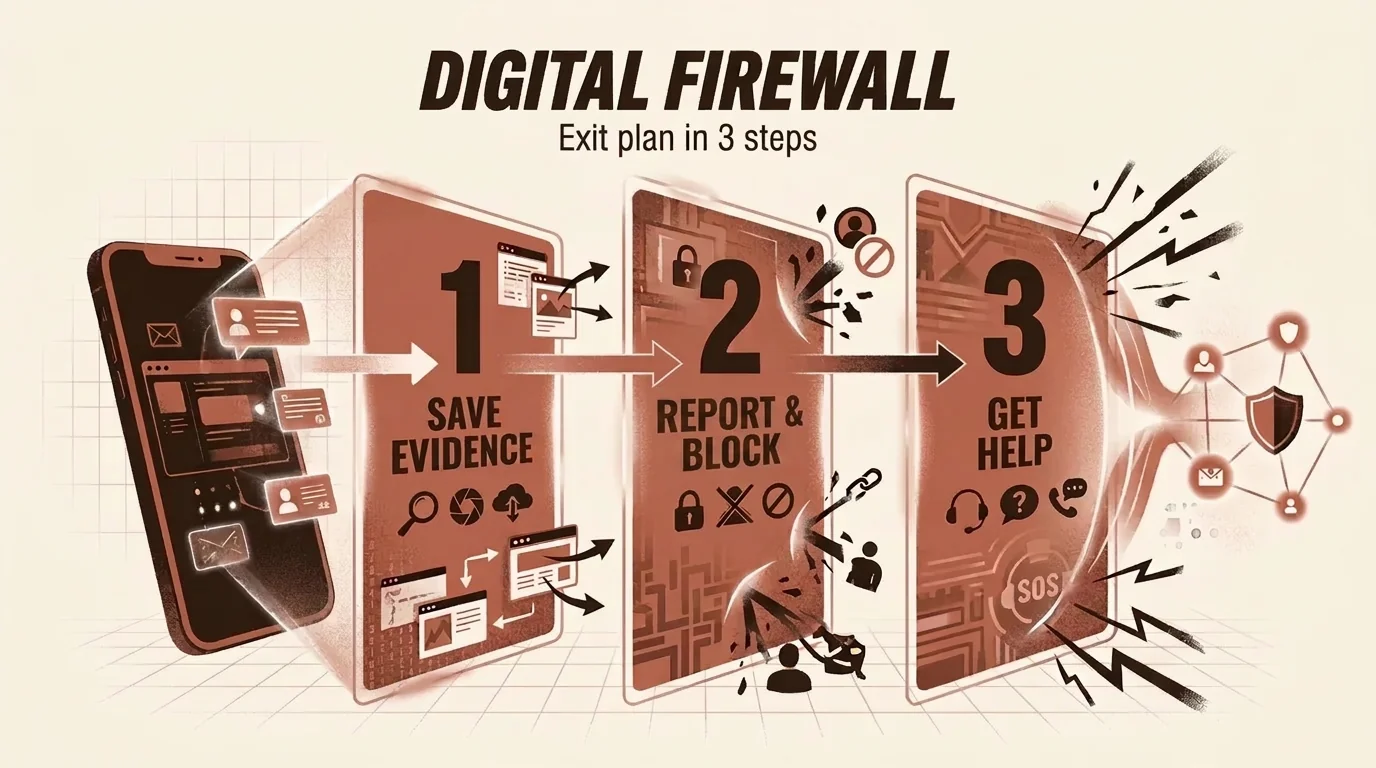
Take screenshots of their profile and your conversation before you report or block them. These records are important if you need to take legal action later. Make sure the screenshot includes their profile name and the date and time (if you're using a browser, the web address too).

Save the screenshots somewhere safe, like in the cloud or on an external drive. It’s also a good idea to print out key evidence, as digital files can easily be deleted by mistake.

Making a report

If a profile feels off, report it directly on the dating app. You'll not only be protecting yourself, but other singles from potential scammers or stalkers too. Response times can vary from platform to platform, so it's always best to report something sooner rather than later. You can always add to your report if anything else happens.

In your report, describe exactly what happened: harassment, threats, attempted fraud or inappropriate content. The more detail you can provide, the more quickly the platform can take action.

Getting legal support

Charities like the Suzy Lamplugh Trust provide support for victims of stalking and online abuse. The police take these cases very seriously and can help you take legal action. It’s important to know that stalking is a criminal offence across the UK (in England and Wales under the Protection from Harassment Act). The National Stalking Helpline, run by the Suzy Lamplugh Trust, offers free advice. If you ever feel you’re in immediate danger, always call 999.

Don’t wait for the situation to escalate before reaching out for help. The sooner you act, the easier it is to get things under control.

Your right to be forgotten

Under UK data protection law (UK GDPR), you have what’s known as the right to erasure, or the ‘right to be forgotten’. This allows you to ask search engines to remove personal information about you. If intimate photos or other private details have been shared without your consent, you can request to have them deleted.

Google provides a special form for this. How long a request takes to process can vary. Bear in mind, this only removes the content from search results, not from the original website – for that, you’ll need to contact the site owner directly.

An infographic showing an exit plan for dealing with stalking, visualising steps like saving evidence, reporting and blocking, and getting help. When things get serious, knowing how to react is key: document any incidents immediately and make full use of the platforms’ built-in safety features.

Conclusion: Date smart, stay safe

Looking after your digital privacy isn't a barrier to finding love; it’s the very foundation of relaxed, confident dating. Once you're aware of the digital footprint you're leaving, you can easily minimise it and still be your authentic self.

The most important steps are to use photos exclusively for dating sites, keep your profiles separate from your social media accounts, be strict with your location settings, and stay alert to anyone trying to manipulate you. A digital spring-clean before you sign up and a regular check of your settings will protect you from most risks.

Stay alert and always trust your gut instinct. Most singles on dating sites like Match.com, EliteSingles or Ourtime are, like you, looking for a genuine connection. With the right safety measures in place, you can open up to someone without making yourself vulnerable.

If a profile or chat ever feels strange, let AskAlva give you a second opinion on any potential red flags. Before you upload anything, just be sure to check our privacy policy on how screenshots are handled.

Frequently asked questions

How can I find out if my picture is being misused?

Use a reverse image search on Google Images or TinEye. Upload your photo and see where else it appears online. If your picture shows up on other people's profiles, report it to the platform immediately and consider taking legal action. Repeat this check every few months, as new cases of misuse can appear at any time.

Can you use Tinder without Facebook?

Yes, Tinder now lets you sign up with a phone number or Apple ID. You don't have to link your Facebook account. This significantly increases your privacy, as no connection is made to your social network. Bumble, Hinge and most other dating apps also offer alternative sign-up methods now.

What can my employer see when I'm online dating?

Your employer can see anything you make public, and your IT department may see more. If you link your LinkedIn profile to dating apps or use professional photos, colleagues might find you. Use separate photos and don't link to professional networks. Also, avoid being active on dating apps during work hours if you're using the company Wi-Fi – the IT department can usually see which services are being used, and on a work device possibly more.

How can I protect myself from catfishing?

Insist on a spontaneous video call before you meet in person. Check photos with a reverse image search. Look for inconsistencies in the other person's story – catfishers often forget details they've told you before. If a profile seems too good to be true, use the AskAlva scam check. Other warning signs include declaring their love for you too quickly, making excuses for not doing video calls, and wanting to switch to other messaging services right away.

Should I use my real name on dating sites?

It depends on the platform. Some dating sites with verification processes, such as EliteSingles or SilverSingles, may ask for your real name, so check each site's terms. On swipe-based apps like Tinder or Bumble, you can use a first name or nickname to start with and only reveal your full name after you've met in person for the first time. Avoid unusual spellings or very rare names that would make you easy to identify on Google.

How do I spot a romance scammer?

Romance scammers often follow a pattern: declaring their love too quickly, having a job abroad (often in the military, on an oil rig or as an aid worker), making excuses for not doing video calls, wanting to switch to WhatsApp or Telegram early on, and eventually asking for money. If several of these signs appear, cut off contact. Other red flags include photos that look like they're from an ad campaign, grammatically poor messages despite claiming to be highly educated, and emotional manipulation with sob stories.

What is Exif data and how do I delete it?

Exif data is hidden information in image files that includes things like GPS coordinates, camera model and the time the photo was taken. Many dating apps remove this data automatically. If you're sending photos via chat, use an app like 'Exif Eraser' (Android) or 'Metapho' (iOS), or use your phone's 'remove location' option when sharing. Alternatively, you can create a new image by taking a screenshot of the photo, which also strips out the Exif data.

How should I deal with pushy messages?

Report pushy users immediately using the dating app's reporting function, then block them. You don't owe anyone a reply. Take screenshots beforehand as evidence in case the harassment escalates. Don't reply to provocative messages – any reaction is seen as a success and encourages them to continue. If you receive threats or are sexually harassed, don't hesitate to contact the police.
🛡️ Scam check by AskAlva

Not sure about a contact? Upload a screenshot. AskAlva checks it for fraud patterns in under a minute.

Try it free →

Screenshots are never stored.

More from “Safety & scam protection”